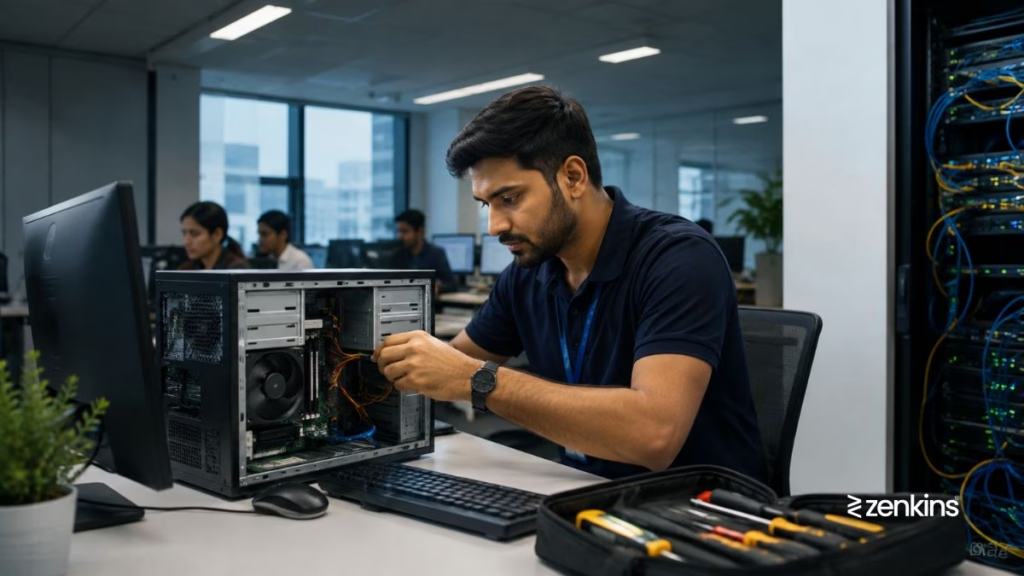
Printer and Peripheral Connectivity Problems can disrupt everyday business workflows, slow down document processing, and frustrate employees. Whether it’s networked printers, scanners, or other peripheral devices, connectivity issues prevent smooth operations. A professional IT Help Desk ensures all office hardware is properly configured, connected, and maintained — keeping your workplace productive and efficient.
The Problem
“The printer isn’t showing up on my computer.”
“Scanners aren’t connecting to the network.”
“Our shared devices stop working after updates.”
These are common printer and peripheral connectivity problems that affect office efficiency. Without timely support, employees face delays, incomplete workflows, and frequent IT interruptions — ultimately impacting productivity.
Common Printer and Peripheral Connectivity Problems
Office devices can fail due to a variety of technical issues, including:
- Printer not recognized on the network
- Driver or software incompatibility
- Network configuration issues (IP conflicts, Wi-Fi problems)
- Outdated firmware or drivers
- Connection drops on USB, Bluetooth, or Wi-Fi devices
- Incorrect device setup or permissions
- Firewall or security settings blocking communication
- Peripheral conflicts when multiple devices are connected
- Power or hardware failures
Identifying the root cause quickly is essential to minimize downtime and ensure uninterrupted office operations.
How a Help Desk Resolves Printer and Peripheral Connectivity Problems
A structured IT Help Desk for Peripheral Support follows a systematic approach to identify, troubleshoot, and resolve connectivity issues efficiently.
Step-by-Step Approach:
- Verify hardware connections – Check cables, power supply, and device status.
- Check device drivers and firmware – Ensure updates are installed and compatible with the OS.
- Test network connectivity – Verify IP addresses, Wi-Fi, and LAN configurations.
- Reinstall or reconfigure devices – Apply proper setup procedures to restore connectivity.
- Check user permissions – Ensure employees have access to shared devices.
- Test functionality – Print, scan, or transfer data to confirm the issue is resolved.
- Document incidents and solutions – Maintain records for future troubleshooting.
- Educate users – Provide guidelines for proper peripheral usage and maintenance.
This methodical process ensures minimal disruptions and efficient resolution of office device issues.
How Zenkins Help Desk Supports Printer and Peripheral Connectivity
At Zenkins, our Peripheral Support Help Desk Services ensure all office devices — printers, scanners, webcams, and other peripherals — are installed, configured, and fully operational.
Our Key Services Include:
- Printer setup, configuration, and driver updates
- Network printer and peripheral troubleshooting
- USB, Bluetooth, and Wi-Fi device support
- Firmware updates for printers and scanners
- Peripheral device access and permission management
- Scan-to-email or scan-to-cloud configuration
- Shared device network configuration
- Incident logging and preventive maintenance
Zenkins’ IT Help Desk guarantees seamless connectivity for all office devices, reducing delays and improving workflow efficiency.
Best Practices to Avoid Peripheral Connectivity Problems
Preventing connectivity issues is more effective than reactive troubleshooting. Consider these best practices:
- Keep drivers and firmware updated for all devices
- Standardize network configurations for shared printers and peripherals
- Maintain proper device placement and connectivity checks
- Implement user guidelines for peripheral usage
- Use centralized monitoring for office devices
- Regularly audit and test shared devices for functionality
- Train employees on troubleshooting basic device issues
Adopting these practices ensures smooth office operations and reduces IT support requests.
When to Engage Professional Peripheral Support Help Desk
If employees frequently encounter printer malfunctions, scanning errors, or peripheral connectivity issues, professional help is essential.
Zenkins’ Printer and Peripheral Help Desk Services provide timely support, network configuration, and proactive maintenance — keeping your office devices fully functional and accessible at all times.
Final Thoughts
Printer and Peripheral Connectivity Problems can disrupt everyday business tasks and reduce workplace efficiency.
Partnering with Zenkins’ IT Help Desk ensures all office devices are properly installed, configured, and supported — minimizing downtime and keeping your team productive.
Ensure smooth office operations with Zenkins.
Zenkins’ Printer and Peripheral Help Desk Services handle installation, configuration, troubleshooting, and maintenance for all office devices — ensuring seamless connectivity and efficient workflows.
Contact us to optimize your office IT environment today.