
Custom Software Development Services for Manufacturers
Custom Software Development Company for Manufacturing
Custom software development is the process of designing, building, and deploying software applications tailored specifically to a business’s unique processes, users, and goals, rather than forcing it into generic, off-the-shelf tools. Zenkins is an Ahmedabad-headquartered custom software development company for manufacturers, serving manufacturing businesses worldwide looking for a reliable custom software development services partner in India.
What Is Custom Software Development?
Custom software development is the practice of creating software built from the ground up to match the specific workflows, data structures, and business rules of a single organization. Unlike off-the-shelf software, which forces businesses to adapt their processes to a generic tool, custom software is engineered around how your business, and your production floor, supply chain, or quality process, actually operates.
Zenkins is a custom software development company with delivery teams based in Ahmedabad and active client engagements across India and other markets worldwide. We take full ownership of the development lifecycle, from requirements and architecture through to deployment, testing, and long-term support.
Whether you need a production-floor web application, an internal enterprise platform connecting your ERP and MES, a mobile app for field technicians, or a legacy system modernised for today’s infrastructure, our engineering teams deliver custom software development services that are scalable, secure, and built to last, for manufacturers in India and around the world.
Who Is Custom Software Development For?
Custom software is the right choice when off-the-shelf tools cannot accommodate your requirements, your processes are complex or proprietary, or you are building a product to sell or license to others.
Growing Manufacturers
When spreadsheets and generic ERP modules start to create bottlenecks, custom software replaces multiple disconnected tools with one integrated system built around your production, inventory, and quality operations. This is common as manufacturers scale from single-site to multi-plant operations.
Industrial Equipment & Component Makers
If you build machinery, components, or industrial products, custom development lets you extend your product with connected software, remote monitoring, predictive maintenance, or a customer-facing configurator, giving you full control over architecture, features, and IP.
Enterprise Manufacturers
Large manufacturing organisations need custom enterprise software, MES/ERP integration layers, supply chain visibility platforms, quality management systems, and plant-level data dashboards, that integrate with existing shop-floor infrastructure, meet compliance requirements, and serve thousands of users reliably.
Custom Software vs Off-the-Shelf: Key Differences
The decision between building custom and buying ready-made software often comes down to uniqueness, scale, and long-term cost. Here is how the two approaches compare:
| Custom Software (Zenkins) | Off-the-Shelf Software | |
|---|---|---|
| Fits your exact workflow | Yes | Rarely |
| Scalable as you grow | Yes | Limited |
| Full IP ownership | Yes | No |
| Third-party integrations | Unlimited | Restricted |
| Ongoing customization | Yes | Vendor-controlled |
| Licensing costs | One-time / fixed | Recurring per seat |
| Competitive differentiation | High | None |
Off-the-shelf tools work well for generic functions. Custom software is the right investment when your processes, data, or user experience requirements are a competitive differentiator.
Why Choose a Custom Software Development Company in India
India has become one of the world’s leading hubs for custom software development services, and for good reason. Whether you’re a manufacturer based in India looking for a local technology partner, or a company overseas exploring outsourcing options, here’s what working with an India-based team like Zenkins offers:
Access to deep technical talent: India produces one of the largest pools of engineering graduates in the world, with strong expertise in modern stacks including React, Node.js, .NET, Java, Python, and cloud-native development.
Cost-effective without compromising quality: Development costs for offshore custom software development in India are typically 40-60% lower than in the USA, UK, or Australia for comparable experience levels, making custom software accessible to Indian manufacturing SMBs while remaining attractive to enterprise manufacturers managing large budgets.
English-fluent teams and clear communication: Our teams work fluently in English, with documentation, sprint demos, and client communication built around international collaboration standards.
Time zone overlap with global markets: Our delivery teams structure working hours to overlap with US, UK, and Australian business hours, so you get real-time collaboration, not just async handoffs.
Local presence for Indian manufacturers, For clients based in India, we offer on-site visits, in-person workshops, and direct access to our Ahmedabad team, combining the responsiveness of a local vendor with the process maturity of a global delivery partner.
Our Custom Software Development Services
Zenkins delivers a full range of custom software development services for manufacturers, covering every application type, platform, and technology your business requires.
Web Application Development
We design and build responsive, high-performance web applications, from customer and dealer portals to internal production dashboards and workflow systems. Our web development practice uses React.js, Angular, Vue.js, ASP.NET Core, Node.js, and Django, with architecture choices driven by your performance and scalability needs.
Mobile App Development
Our mobile engineering team builds native iOS and Android applications as well as cross-platform apps using React Native and Flutter, including field-technician and plant-floor apps. We handle everything from UI/UX design and backend API integration to app store submission and post-launch maintenance.
Enterprise Software Development
For large manufacturing organizations, we build enterprise-grade platforms, ERP/MES integration layers, HRMS tools, approval workflow engines, and custom production analytics dashboards, designed to handle complex business logic, large data volumes, and multi-plant environments.
SaaS Product Development
We specialize in building multi-tenant SaaS platforms from the ground up for industrial products, subscription and billing management, role-based access control, tenant isolation, third-party integrations, and cloud-native infrastructure on AWS, Azure, or Google Cloud.
API Development and Integration
Whether you need to connect shop-floor systems, expose data to supply chain partners, or integrate with third-party services, we develop secure RESTful and GraphQL APIs. We also build middleware and integration layers connecting ERP, MES, and legacy plant systems.
Legacy Software Modernisation
Many manufacturers run core production, inventory, or ERP systems on aging platforms that are costly to maintain and hard to integrate with modern tools. We assess, re-architect, and incrementally modernise these systems, migrating to current frameworks and cloud infrastructure without disrupting live operations.
Startup MVP Development
Our MVP-first approach helps industrial product founders and product teams validate ideas with minimal investment. We scope a focused feature set, build it to production quality, and help you ship in 8 to 16 weeks depending on complexity.
Cloud-Native Application Development
We build applications designed for the cloud from the start, containerized with Docker and Kubernetes, deployed with CI/CD pipelines, and architected for auto-scaling, high availability, and resilience across AWS, Azure, and GCP.
Looking for AI-specific capabilities? See our AI-Powered Software Development and Generative AI & LLM Integration services.
Ready to Start Your Custom Software Development Project?
Whether you’re an industrial equipment maker with a product idea, an Indian manufacturing SMB replacing legacy tools, or a global manufacturing enterprise with complex workflows, Zenkins helps you build custom software that drives real business value, backed by a custom software development company in India with a proven track record across local and international markets.
Our Custom Software Development Process
We follow a structured, agile-driven delivery process that keeps projects on time, on budget, and aligned with your evolving requirements, whether you’re working with us locally in India or remotely from anywhere in the world.
Discovery and requirements analysis
We begin by understanding your business context, plant operations, technical constraints, and integration requirements. This phase produces a detailed scope document, user stories, and a project roadmap so there are no surprises during development.
Solution architecture and UI/UX design
Before writing a line of code, we design the technical architecture and create wireframes and interactive prototypes. This ensures alignment on both the system design and the user experience before development begins.
Agile development in two-week sprints
Development runs in two-week sprints with regular demos, code reviews, and progress updates. You have full visibility throughout and can review working software at every milestone.
Quality assurance and testing
Our QA engineers run comprehensive testing across every sprint, functional, regression, performance, security, and accessibility testing, using both manual and automated approaches to catch issues before they reach production.
Deployment and DevOps
We deploy using CI/CD pipelines with automated testing gates, infrastructure-as-code (Terraform, Ansible), and monitoring from day one. Whether you host on AWS, Azure, GCP, or on-premises, we manage the deployment environment.
Post-launch support and maintenance
After go-live, we provide ongoing support, bug fixes, performance optimisation, security patches, and feature development, through flexible retainer or time-and-materials models.
Technology Stack
We select technology based on your requirements, not our preferences. Our engineering teams have deep experience across the following technologies.
Backend
Mobile
React Native, Flutter, Swift (iOS), Kotlin (Android)
Databases
PostgreSQL, MySQL, Microsoft SQL Server, MongoDB, Redis, Elasticsearch, Cassandra
Cloud and infrastructure
AWS, Microsoft Azure, Google Cloud Platform, with containerisation via Docker and Kubernetes
DevOps and CI/CD
GitHub Actions, GitLab CI, Jenkins, Terraform, Ansible, ArgoCD
AI and data
OpenAI API / Azure OpenAI, TensorFlow, PyTorch, Apache Spark, Power BI, Tableau
Industries We Serve
Our custom software development experience spans the manufacturing sector in depth, giving us the domain knowledge to build solutions that account for sector-specific compliance, data requirements, and production realities.
Automotive & Mobility
Production monitoring, supply chain management, and dealer/service platforms for automotive manufacturers and mobility companies.
Semiconductor & Electronics
Yield tracking, quality inspection data platforms, and production system integrations for semiconductor and electronics manufacturers.
Industrial Equipment & Machinery
Connected equipment platforms, predictive maintenance software, and ERP integrations for industrial and heavy equipment makers.
Electrical & Energy Equipment
Production and testing data systems, supply chain platforms, and ERP integrations for electrical and energy equipment manufacturers.
Chemicals & Process Manufacturing
Process monitoring, safety and compliance systems, and supply chain platforms for chemical and process manufacturers.
Pharmaceuticals & Life Sciences
Batch and quality management systems, compliance tracking, and production data platforms built for regulated pharma manufacturing environments.
Consumer & Industrial Products
Production and inventory management, quality tracking, and supply chain software for consumer goods and industrial products manufacturers.
New Energy & Advanced Manufacturing
Production data platforms, systems integration, and quality software for new-energy and advanced manufacturing operations.
Why Choose Zenkins for Custom Software Development?
There are hundreds of software development companies to choose from. Here is what makes Zenkins a different kind of partner for manufacturers, local Indian businesses and global clients alike:
Manufacturing-domain expertise
We don’t just write code, we understand production workflows, quality processes, and plant-floor realities. That domain knowledge shortens discovery and produces software that fits how manufacturing actually operates.
End-to-end ownership
We do not hand off work between disconnected teams. A single Zenkins team owns your project from discovery to post-launch support, which means continuity, accountability, and faster resolution when issues arise.
Senior-led delivery
Every project is led by a solution architect and a senior project manager. Junior developers work under direct supervision of engineers with 8 to 15 years of experience in your target technology.
Full IP transfer
All source code, documentation, architecture diagrams, and intellectual property are transferred to you on project completion. You own everything we build. No lock-in, no licensing fees, no vendor dependency.
Transparent, agile process
You are never in the dark. Weekly sprint demos, milestone-based billing, shared project dashboards, and direct access to your development team keep you informed at every stage.
Flexible engagement models
We offer fixed-price engagements for well-defined scopes, time-and-materials for exploratory projects, and dedicated team models for ongoing product development. We adapt to your budget and timeline.
Security and compliance by default
Secure coding practices, code reviews, OWASP compliance, data encryption, and role-based access control are built into our standard development process, not added as an afterthought.
On-Ground Presence in India, Global Delivery Standards
As a locally headquartered custom software development company in India, we offer in-person workshops and direct access to our Ahmedabad team for Indian clients, combined with the communication discipline, compliance awareness, and time zone flexibility our global manufacturing clients expect.
Related manufacturing work
Want proof of our capabilities? Explore how Zenkins has helped manufacturing clients in India and globally, from transforming manual workflows into digital products to building scalable systems used across production and vendor operations.
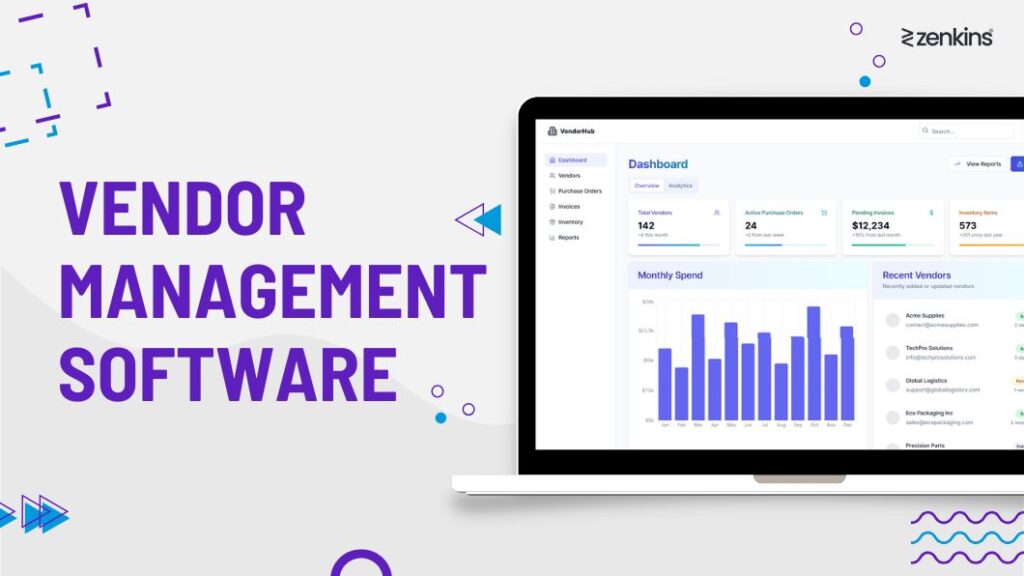
Ultimate Vendor Management Software: Streamline Operations & Cut Costs by 50%

Manufacturing ERP Software Solutions: A Case Study

Telemedicine Platform for Remote Patient Care: A Case Study
Ready to Build Your Custom Software?
Whether you are an industrial equipment maker with a product idea, an Indian manufacturing SMB replacing legacy tools, or an enterprise manufacturer modernizing core systems, Zenkins has the expertise and process to deliver custom software development services that fit your business precisely.
No commitment required — we’ll scope the fit first.
Explore Our Latest Insights
From Spreadsheets to Smart Factories: How Custom Software Cuts Downtime and Production Costs
Software Partner for Manufacturers

How Much Does Custom AI Agent Development Cost in 2026? A Pricing Guide for Business Leaders
FAQs About Custom Software Development
Find answers to common questions about our custom software development services, processes, pricing, timelines, and technology expertise, for manufacturing clients in India and worldwide.
What is custom software development?
Custom software development is the process of designing and building software applications tailored specifically to a particular business’s workflows, users, and goals. Unlike off-the-shelf software, custom software is built from scratch to match your exact requirements, giving you full control over features, integrations, and scalability.
How much does custom software development cost in India?
The cost of custom software development depends on the project’s scope, complexity, technology stack, and team size.
For Indian businesses: a startup MVP typically ranges from ₹8 lakh to ₹35 lakh, mid-complexity business applications from ₹35 lakh to ₹1.2 crore, and large enterprise platforms can exceed ₹3.5 crore.
For global clients: a startup MVP typically ranges from USD 15,000 to USD 50,000, mid-complexity business applications from USD 50,000 to USD 200,000, and large enterprise platforms can exceed USD 500,000.
Zenkins provides a detailed fixed-price or time-and-materials proposal after an initial discovery session.
How long does it take to develop custom software?
Timelines depend on scope and complexity. A startup MVP typically takes 8 to 16 weeks. Mid-complexity business applications usually take 4 to 9 months. Large, multi-module enterprise platforms can take 9 to 18 months or more, often delivered in phased releases so you see value earlier. We provide a milestone-based project plan with firm delivery dates after the discovery phase.
What is the difference between custom software and off-the-shelf software?
Off-the-shelf software is a pre-built product sold to many businesses. It is faster to deploy but may not fit your exact processes and comes with ongoing licensing costs and limited customization. Custom software is built specifically for your organization. It requires a higher upfront investment but delivers a precise fit for your workflows, full IP ownership, and no recurring licence fees.
Who owns the intellectual property of the custom software?
With Zenkins, the client retains full intellectual property rights. Upon project completion and final payment, all source code, documentation, and associated IP are transferred to you. This is stated explicitly in our project agreement.
Do you build custom software for manufacturers outside India?
Yes. Zenkins is an Ahmedabad-headquartered custom software development company in India serving manufacturing clients worldwide as part of our offshore custom software development model. Indian clients benefit from on-site workshops, in-person stakeholder alignment, and INR-based pricing, while international clients get GDPR-compliant development processes for EU engagements and SOC 2-compliant practices for enterprise clients elsewhere. Our teams work across time zones with structured communication processes to ensure smooth collaboration regardless of geography.
Do you provide post-launch support and maintenance?
Yes. Zenkins offers ongoing application support and maintenance services after your software goes live. This includes bug fixes, performance monitoring, security patches, infrastructure management, and new feature development. We offer flexible retainer models and dedicated support SLAs based on your needs.
What manufacturing sectors does Zenkins serve for custom software development?
Zenkins builds custom software for manufacturers across automotive and mobility, semiconductor and electronics, industrial equipment and machinery, electrical and energy equipment, chemicals and process manufacturing, pharmaceuticals and life sciences, consumer and industrial products, and new energy and advanced manufacturing, for clients based in India and around the world. This deep manufacturing focus means we bring relevant domain knowledge and reduce the time needed to understand your sector-specific requirements.
Can you integrate custom software with our existing systems?
Yes. Integration is one of our core capabilities. We build custom APIs and middleware to connect your new software with existing ERP, MES, CRM, HRMS, payment gateways, data warehouses, and third-party services. We support REST, GraphQL, SOAP, and event-driven integration patterns.
What engagement model does Zenkins use for custom software projects?
We offer three engagement models: fixed price for well-defined projects with a clear scope; time and materials for exploratory or evolving requirements; and dedicated team for ongoing product development where you need a stable team working full-time on your product. We recommend the best model based on your project’s nature and budget.