
In short
- A custom deviation management system that takes every deviation from first report to classification, investigation, corrective and preventive action (CAPA) and closure.
- Replaces email, spreadsheets and paper forms with one controlled record and a full audit trail.
- Workflows, forms, roles and approvals are configured to your procedures.
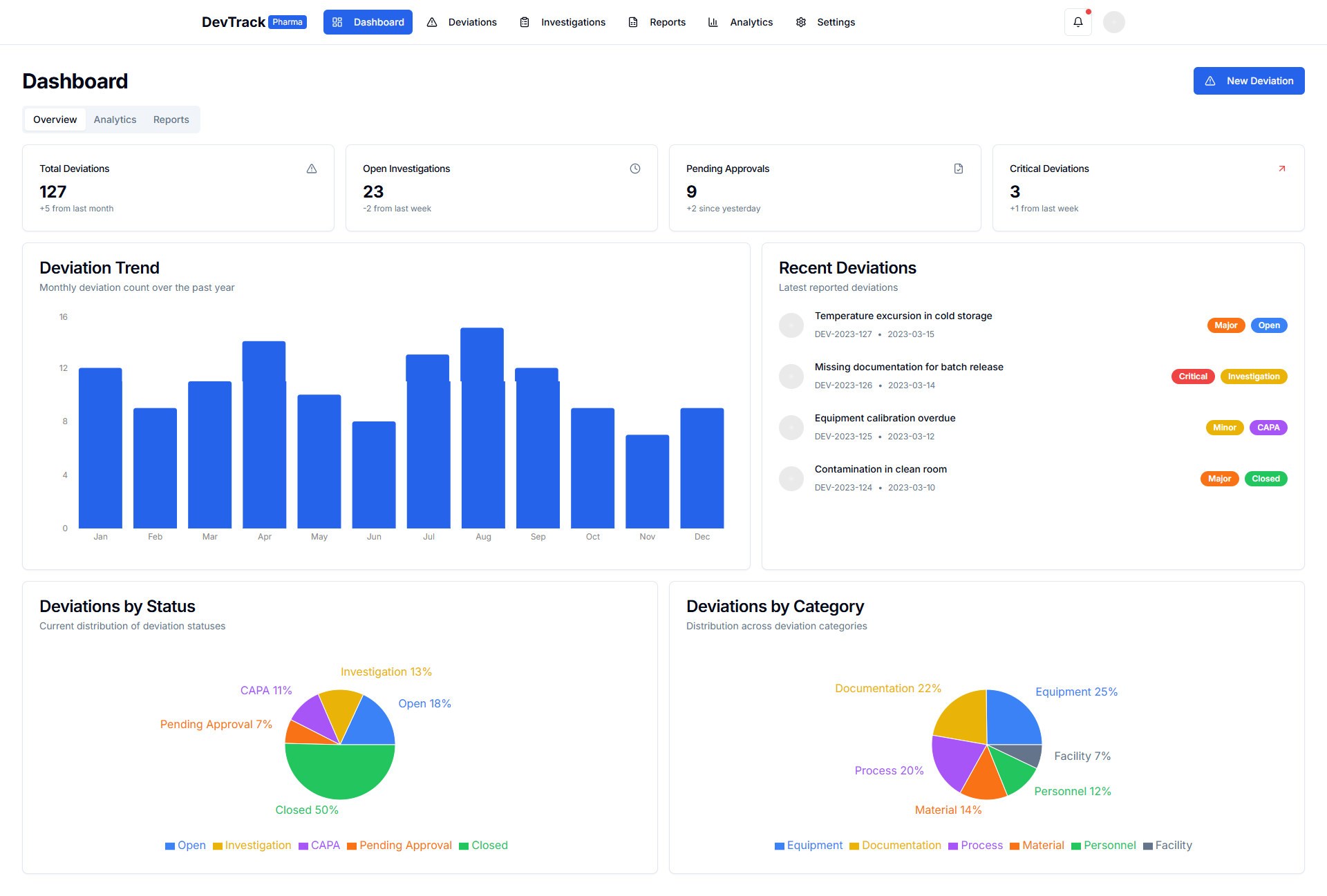
- Real-time reports and dashboards on status, trends and KPIs.
- Connects to your quality management system (QMS), ERP and other business applications.
- You own the code and IP once delivered.
What Is a Deviation Management System?
A deviation is a departure from a standard operating procedure (SOP) or an expected result. A deviation management system is software that documents each one, routes it for classification and investigation, tracks the corrective and preventive actions, and keeps a record of every decision until closure. It gives quality teams one controlled process in place of scattered files and email chains.
Best for:
- Pharmaceutical, life sciences and other regulated manufacturers that must document every departure from procedure
- Quality teams tracking deviations in spreadsheets, paper forms or email
- Plants that need clear ownership, deadlines and audit-ready records
Probably not the right fit if:
- Your current QMS already covers deviations and CAPA with no gaps in your workflow
Problems a Deviation System Removes
| Problem in your quality process | What changes |
|---|---|
| Deviations are reported by email or on paper and details are missing | A structured report with the required fields before it can be submitted |
| Nobody sees which deviations are open, late or overdue | Live status, deadlines and notifications for pending tasks |
| Investigations and root causes are documented inconsistently | A standard investigation record with collaboration between teams |
| CAPA actions are tracked separately and effectiveness is not checked | Actions linked to the deviation, with effectiveness checks |
| Audit preparation means collecting records from several places | One audit trail and ready reports |
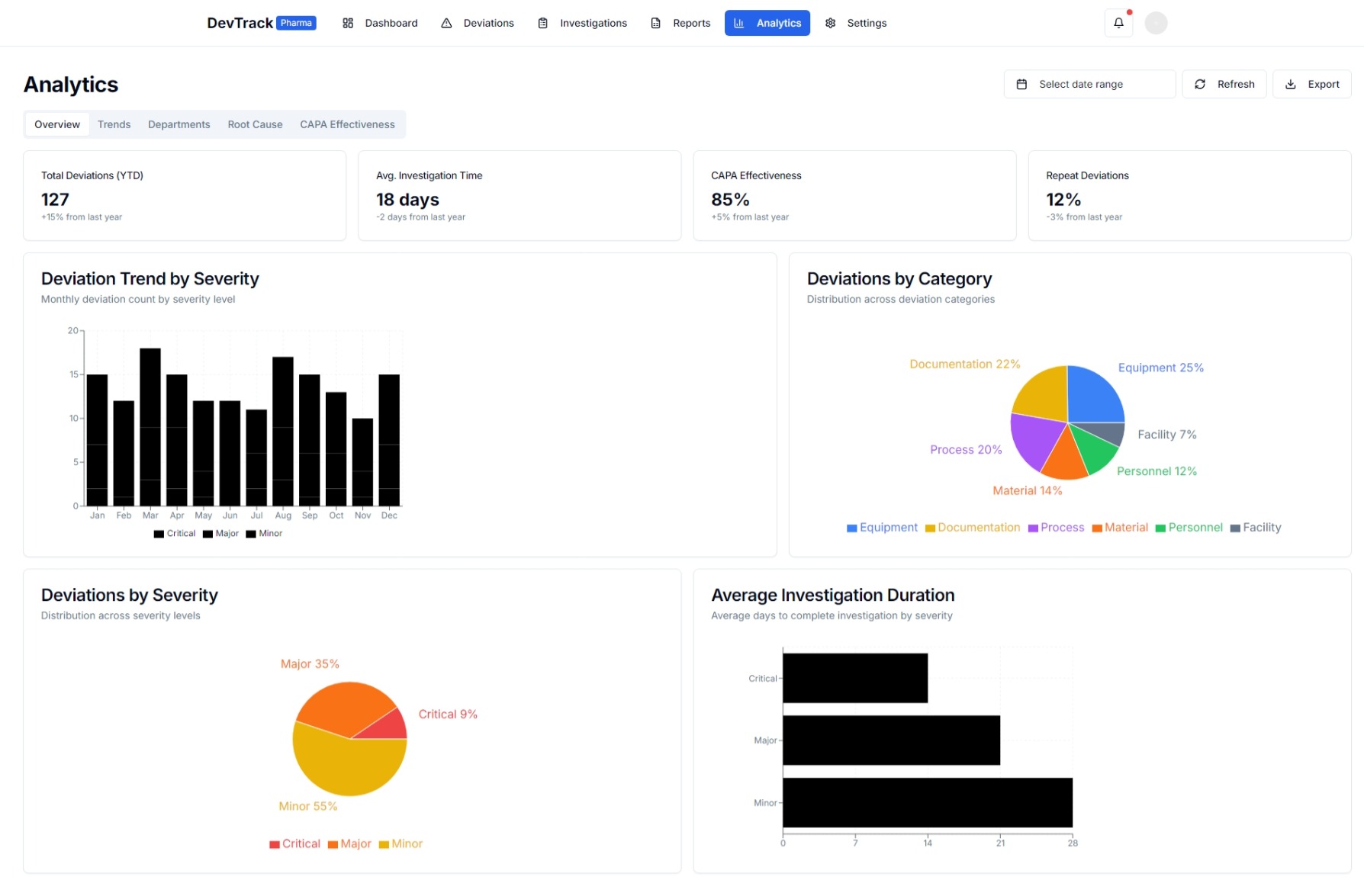
| Trends are invisible until a problem repeats | Reports and analytics on deviation trends and KPIs |
How a Deviation Moves from Report to Closure
| Stage | What happens | What the system records |
|---|---|---|
| 1. Report | An employee logs the deviation with a description of what happened | Details, reporter, date, supporting information |
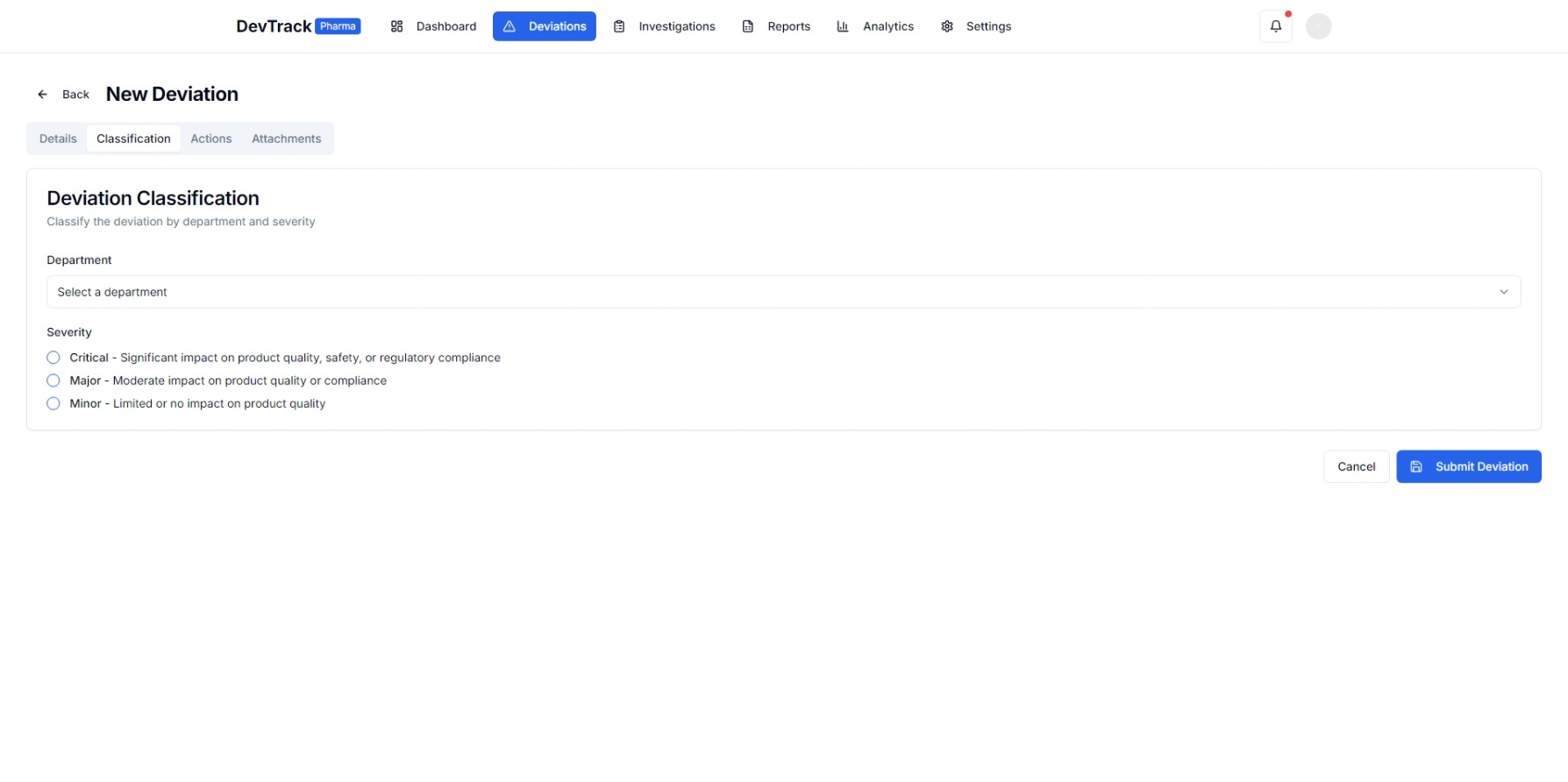
| 2. Classify | The deviation is assessed and classified under your rules | Classification and the reasoning |
| 3. Investigate | Teams investigate and identify the root cause | Investigation notes, collaboration, root cause |
| 4. Act | Corrective and preventive actions are planned and assigned | Action plans, owners, due dates |
| 5. Verify | The effectiveness of the actions is checked | Effectiveness check results |
| 6. Approve and close | Approvers review and close the deviation | Approvals and the full history |
Classification levels, approval chains and forms are configured to your procedures.
Core Features
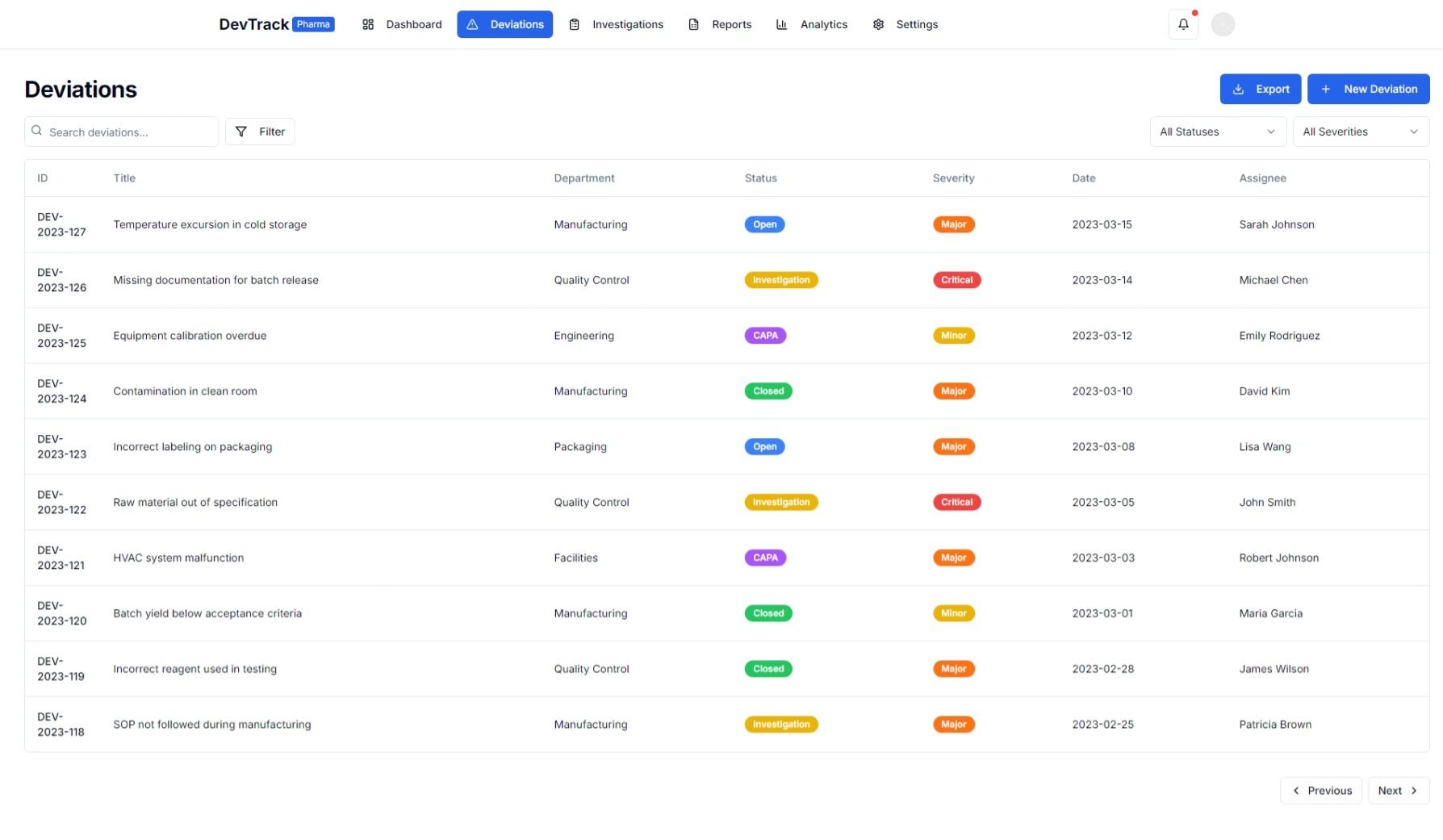
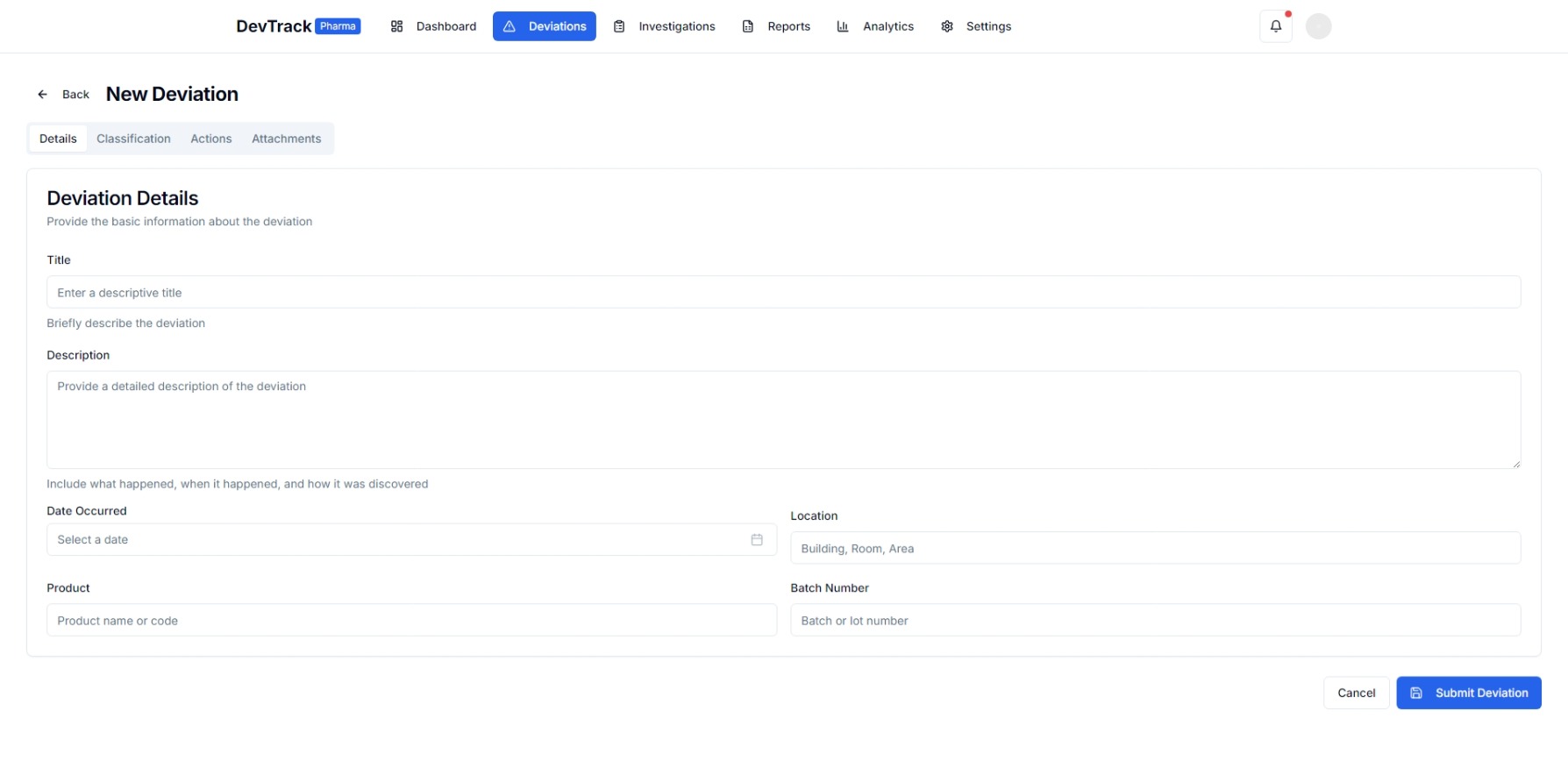
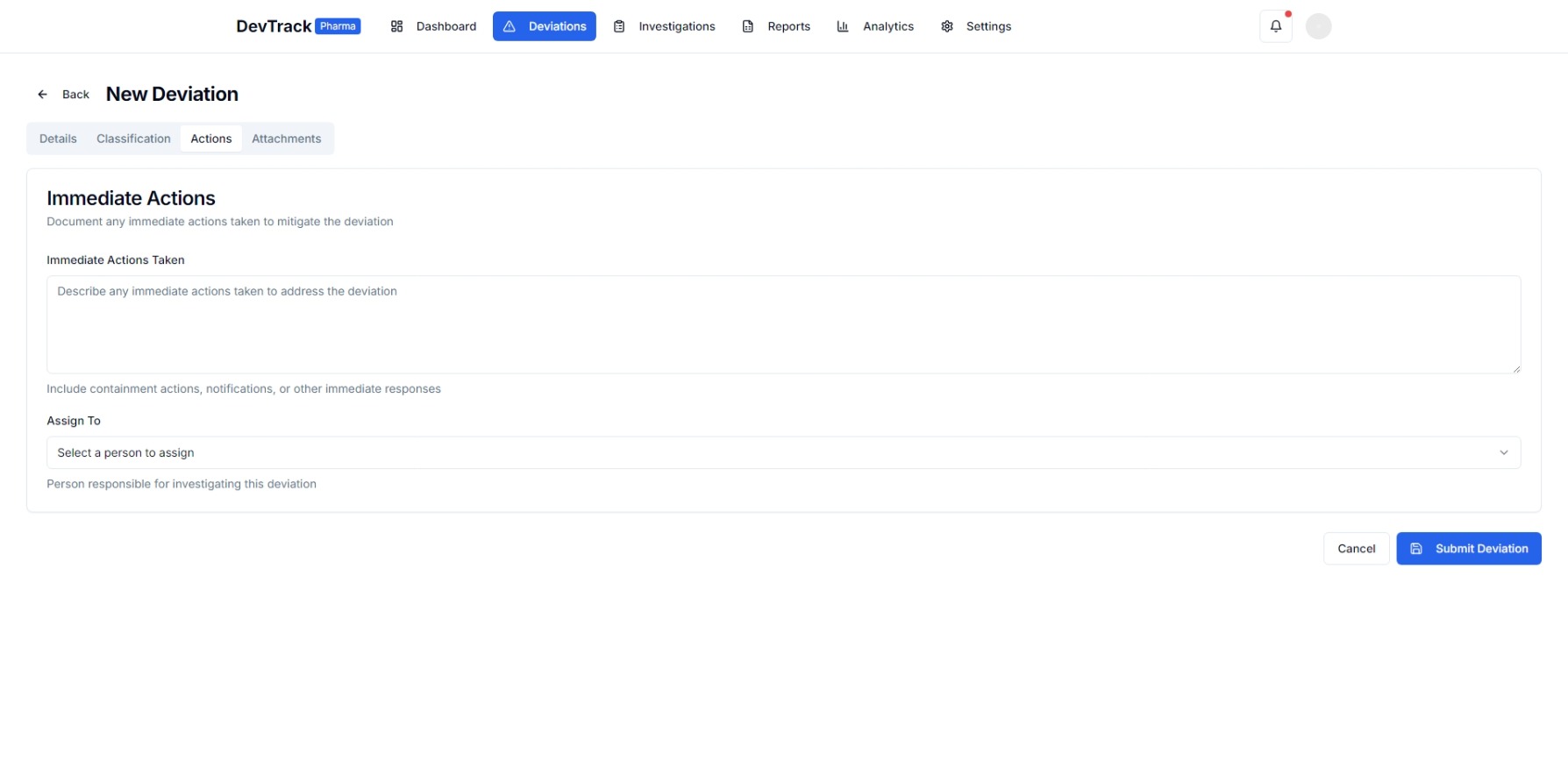
- Deviation reporting and documentation: Easy reporting interfaces with detailed incident descriptions. Documentation is generated and stored automatically for each deviation.
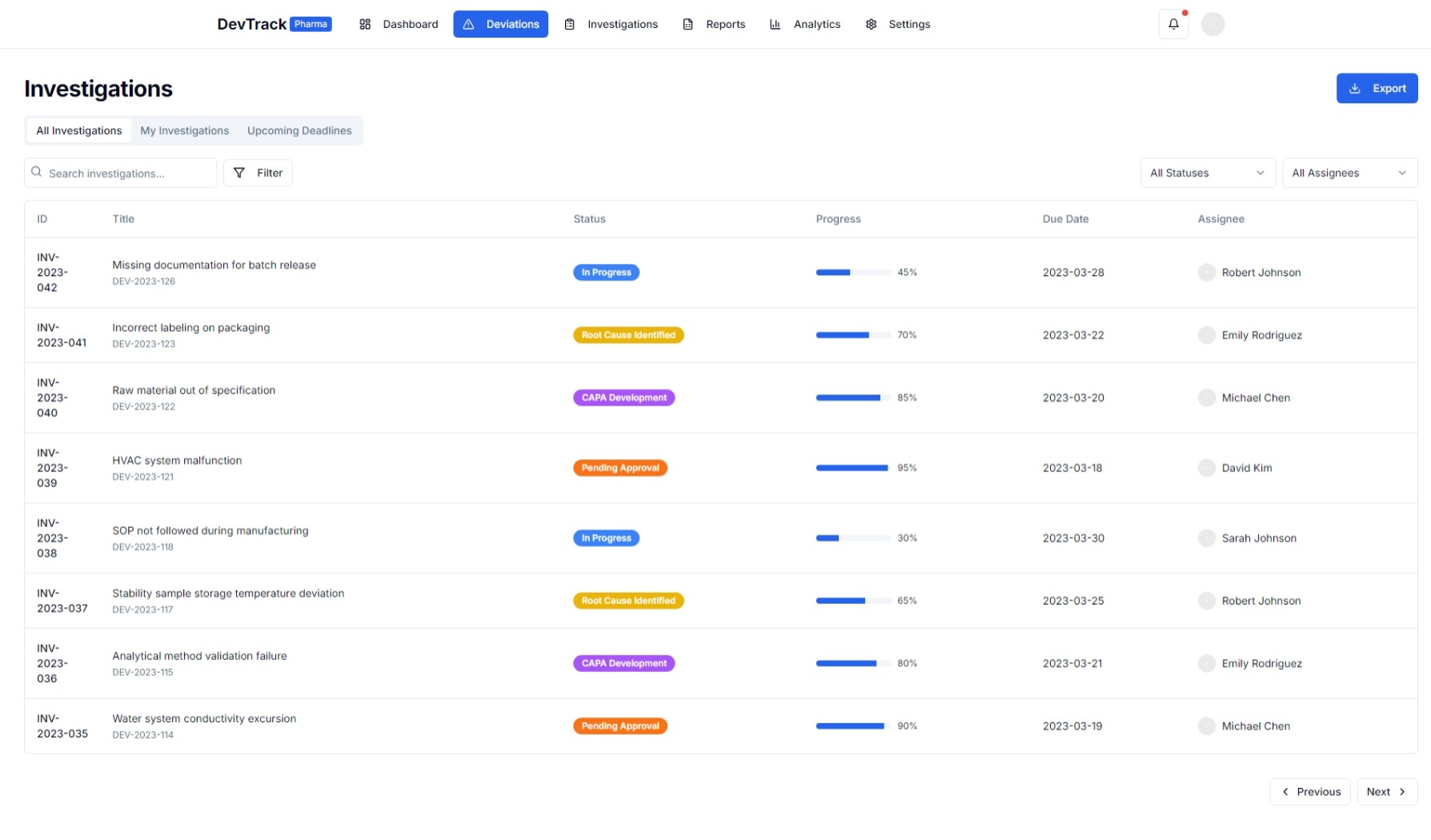
- Investigation and root cause analysis: Tools for thorough investigation, with cross-functional teams collaborating on the same record.
- Corrective and preventive actions (CAPA): Action plans are developed and tracked, with checks on whether the actions worked.
- Workflow automation: Reporting, investigation, action and closure follow your workflow, with real-time notifications for pending tasks and deadlines.
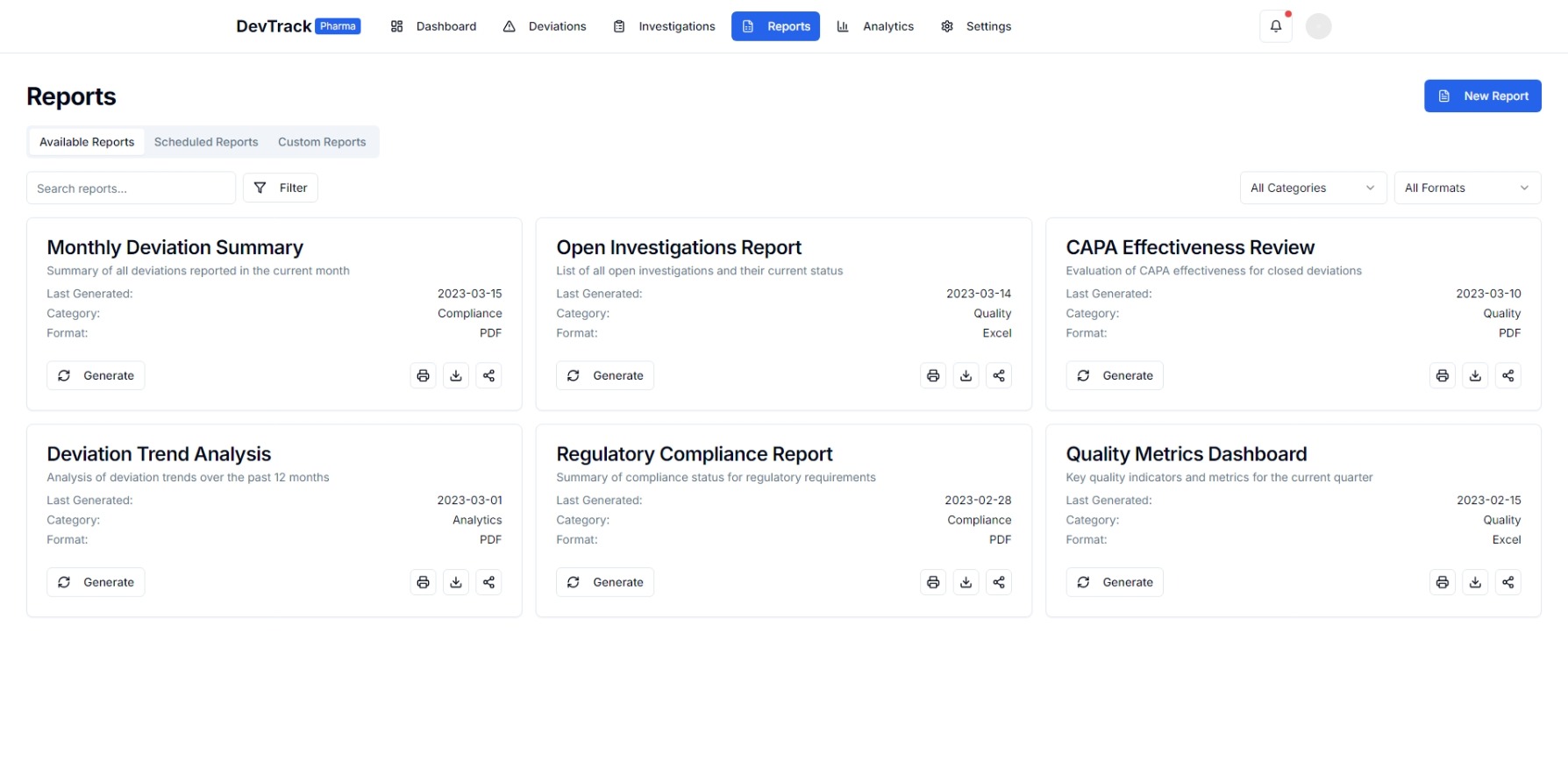
- Compliance and audit readiness: Built-in compliance checklists, audit trails and reports that support audits and inspections.
- Roles and approvals: Clear responsibilities for every task, and every approval and decision documented.
- Reporting and analytics: Real-time reports on status, trends and KPIs, with dashboards you can customize.
- Integrations and data exchange: Connects to your QMS, ERP and other business applications, with data import and export.
Tracking Deviations in Spreadsheets and Email?
Show us how deviations are handled today and we will map the process to a controlled digital workflow.
See It in Action
Connects to the Systems You Already Run
| System | What flows | Typical method |
|---|---|---|
| Quality management system (QMS) | Deviation and CAPA records, document references | API or data exchange |
| ERP | Batch, product and material references | API |
| Other business applications | Master data, notifications, reports | API, import or export |
The exact integrations are confirmed in discovery against the systems you use.
Where It Fits
Deviation control matters wherever procedures and product quality must be documented. Sectors where we apply this most closely:
How We Build It
- Needs assessment. We review your current deviation process, procedures and the systems it must connect to.
- Design. Workflows, classification rules, forms, roles and approvals are designed to your procedures.
- Build and integrate. We develop the system and connect it to your QMS, ERP and other applications.
- Training and rollout. We train your teams and plan the transition to minimize disruption.
- Support and improvement. We provide ongoing support and make enhancements as your process evolves.
You receive full IP transfer on delivery.
Proof and Further Reading
Planning a custom quality system? These guides help you decide and budget:
- Build vs. Buy: How to Decide on Custom Manufacturing Software
- How Much Does Custom Manufacturing Software Cost?
Want to see the system working? Book a demo.
What Shapes the Cost and Timeline
- Number of workflow stages, classification levels and approval chains
- Number of users, roles, sites and departments
- Integrations with your QMS, ERP and other applications
- Reporting and dashboard requirements
- Migration of existing deviation and CAPA records
- Validation and documentation expectations of your quality system
We give a range and a phased timeline after discovery. Our cost guide for custom manufacturing software explains how costs typically build up.
| Packaged QMS module | Zenkins custom system | |
|---|---|---|
| Fit to your procedures | Configure within vendor limits | Workflow, forms and roles built around your procedures |
| Integrations | Standard connectors | Built to your QMS, ERP and applications |
| Ownership | Licensed | Full IP transfer |
| Best when | Your process is standard | Your process is specific or does not fit a package |
Deviation Management System: Frequently Asked Questions
What is a deviation management system?
It is software that documents, tracks, investigates and resolves departures from standard procedures or expected results. It routes each deviation through classification, investigation, corrective and preventive actions and closure, and keeps a full record.
What counts as a deviation?
A deviation is any departure from an approved procedure, specification or expected result. Which events must be reported, and how they are classified, is defined by your own quality procedures, and the system is configured to match them.
What is the difference between a deviation and CAPA?
A deviation is the event: something went differently from the procedure or expectation. CAPA, corrective and preventive action, is the response: the actions taken to fix the cause and prevent it from happening again. The system links the two so every action traces back to its deviation.
Can it classify deviations by severity?
Yes. The system includes a classification step, and the levels and the rules behind them are configured to your procedures.
Does it support root cause analysis?
Yes. It provides investigation tools and lets cross-functional teams work on the same record. The investigation approach is built around how your quality team works.
Does it keep an audit trail?
Yes. Every action and approval is recorded, so you have a traceable history from detection to resolution to support audits and inspections.
How does it handle regulatory requirements for electronic records?
Requirements such as electronic signatures, access control and validation depend on your industry and region. We define the ones that apply to you during discovery and build them into the scope. Software alone does not make a process compliant, so validation remains part of your quality system.
Can it integrate with our QMS and ERP?
Yes. It connects to quality management systems, ERP and other business applications, and supports data import and export. The exact integrations are confirmed during discovery.
Can we customize workflows, forms and roles?
Yes. Workflows, forms, classification rules, approval chains and user roles are configured to your procedures and can change as your procedures change.
Can we start small and extend later?
Yes. You can start with core deviation tracking and extend to CAPA, analytics and integrations as your needs grow.
How much does it cost and how long does it take?
Both depend on the number of workflow stages, users, sites and integrations. We give a range and a phased timeline after discovery.
Who owns the software?
You do. Zenkins provides full IP transfer on delivery.