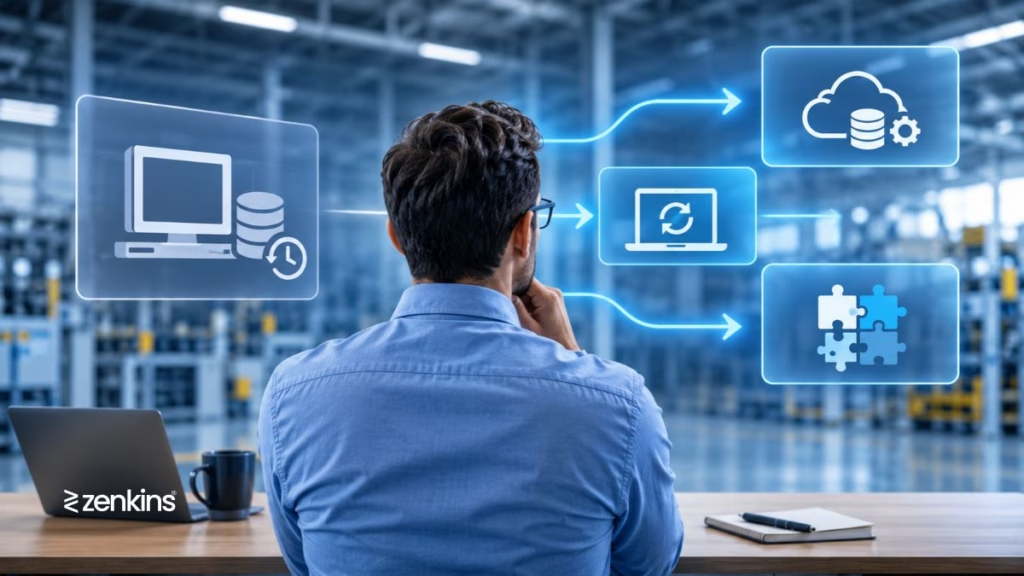
Almost every manufacturer has one: the ERP system that has been running for 10, 15 or even 25 years. It holds decades of orders, bills of materials, customer records and financial data. It is deeply woven into how the business works. And it is increasingly a source of frustration.
Reports take days to produce. A new machine cannot be connected to it. The vendor has stopped releasing updates, or the only person who understands the customisations is about to retire. Operators keep their own spreadsheets because the system is too slow or too rigid. Every new initiative, whether it is a shop floor dashboard, a customer portal or an AI project, hits the same wall: “the ERP can’t do that.”
At this point, leadership faces a hard question. Do you modernize the existing system, replace it with a new one, or integrate it with newer tools and keep it running at the core?
Each answer is right for some companies and costly for others. Replacing an ERP is one of the largest and riskiest projects a manufacturer can undertake. Doing nothing carries its own hidden costs. And the option in between, which is often the smartest, is frequently overlooked.
This guide helps you decide. We explain what makes an ERP “legacy,” how to recognise when it is holding you back, what each option really involves, how to compare them on cost, risk and speed, and how a phased approach can reduce the danger of a big-bang change. It is written for plant owners, CIOs, IT managers, finance heads and operations leaders who want a balanced view and not a vendor’s pitch.
Table of Contents
The Short Answer (For Busy Readers)
- Modernize when the core ERP still fits your business processes but the technology around it, such as the user interface, reporting, hosting and customisations, has aged. You keep the system and improve how it runs and how people use it.
- Integrate when the ERP still does its core job well (finance, inventory, purchasing) but cannot connect to newer needs such as shop floor systems, machines, dashboards, customer portals or analytics. You keep the ERP as the system of record and add modern layers around it.
- Replace when the ERP no longer fits how you operate, the vendor no longer supports it, the cost and risk of keeping it exceed the cost and risk of changing, or you have outgrown it in ways that modernising and integrating cannot fix.
- Phase it whenever possible. Many manufacturers do best by integrating first, gaining quick wins, and then replacing or retiring parts of the legacy system gradually, rather than switching everything on a single day.
The right choice depends on business fit, technical condition, vendor support, data quality, risk tolerance and budget, not on whether the system is old. Age alone is not the problem. Inflexibility is.
What Makes an ERP “Legacy”?
A legacy ERP is not simply an old one. Some ageing systems work beautifully, and some newer ones are poor fits. An ERP becomes “legacy” when it shows a combination of the following traits.
- Outdated technology. It runs on old databases, operating systems, programming languages or hardware that are hard to maintain or secure.
- Limited or no vendor support. The vendor has ended support, stopped releasing updates or is no longer in business.
- Heavy, undocumented customisation. Years of changes have created a system that nobody fully understands, where any change risks breaking something else.
- Poor integration capability. It lacks modern APIs and can only exchange data through file exports, manual entry or fragile custom scripts.
- Rigid processes. It forces workflows that no longer match how the business operates.
- Dependence on a few people. Knowledge sits with one or two individuals, creating a serious continuity risk.
- Limited mobility and access. No modern web or mobile interface, no remote access, and little support for shop floor use.
- Weak reporting. Getting information out requires specialist help or hours of manual work.
- Rising cost of ownership. Maintenance, workarounds and support fees keep increasing while the value delivered stays flat.
The more of these you recognise, the more urgent your decision becomes.
Signs Your Legacy ERP Is Holding You Back
You may already feel the pain. Here are common warning signs, grouped by area.
Operations
- Production, quality and maintenance data live in spreadsheets, paper and separate tools, not in the ERP.
- Planners do not trust the system’s lead times, capacities or stock levels, so they plan outside it.
- Operators spend significant time on duplicate data entry.
- You cannot see real-time production status without calling the floor.
Finance and management
- Month-end closing takes much longer than it should.
- Management reports are built manually, are often late and sometimes contradict each other.
- Costing is inaccurate because actual production data does not flow back.
- You cannot easily answer simple questions about profitability by product, customer or line.
Technology
- The vendor has announced end of support, or support is expensive and slow.
- Security patches are unavailable, or the system runs on unsupported operating systems or databases.
- New machines, sensors, e-commerce tools or customer portals cannot be integrated without costly custom work.
- Performance problems and downtime are increasing.
- Backup and recovery are uncertain.
People
- Only one or two people understand how the system works.
- New employees find it hard to learn and take months to become productive.
- Users have built “shadow systems” because the ERP does not meet their needs.
Strategy
- Growth plans, such as new plants, acquisitions or new product lines, are limited by what the ERP can do.
- Customers or regulators demand traceability, reporting or data access the system cannot provide.
- Digital transformation initiatives stall at the ERP boundary.
If several of these sound familiar, the question is no longer whether to act, but how.
The Cost of Doing Nothing
Many companies delay decisions because the project feels expensive. But “doing nothing” is not free. It carries ongoing costs that rarely appear in a single budget line.
Direct costs
- Rising support and maintenance fees, sometimes for extended or special support contracts
- Hardware and infrastructure upkeep for ageing servers
- Specialist contractors needed for old technologies
- Cost of workarounds, such as extra spreadsheets and manual processes
Indirect costs
- Time wasted on duplicate data entry and manual reporting
- Errors from manual re-keying
- Slow decisions due to unreliable or delayed data
- Inventory and planning inefficiency
- Lost opportunities when new initiatives cannot proceed
Risk costs
- Security vulnerabilities in unsupported software
- Compliance exposure when records and traceability are weak
- Business continuity risk if a key person leaves or the system fails
- Customer dissatisfaction from late or inaccurate deliveries
Putting estimates on these items makes the business case for action clearer. Often, the real comparison is not “project cost versus zero” but “project cost versus years of accumulating hidden cost and risk.”
Your Four Options at a Glance
Rather than a simple choice between “keep” and “replace,” you have four realistic paths.
- Keep and stabilise: maintain the system as it is, fixing the most urgent risks.
- Modernize: upgrade the technology, interface, hosting and customisations of the existing ERP.
- Integrate: keep the ERP at the core and connect it to modern applications, machines and data tools through APIs and middleware.
- Replace: move to a new ERP and retire the old one.
These are not mutually exclusive. The most successful strategies often combine them in sequence: stabilise now, integrate to unlock value, modernize where it pays off and replace when the time is right.
Option 1: Keep and Stabilise
What it means
You continue running the legacy ERP, but you address the most urgent risks: security, backups, documentation, knowledge transfer and performance.
When it makes sense
- The ERP still fits your processes well and the business is stable.
- Support is available and costs are acceptable.
- A larger decision is coming, and you need to buy time safely.
- Budget or capacity for a bigger project is not available right now.
What to do
- Document the system: processes, customisations, interfaces and data structures.
- Capture knowledge from key people and cross-train others.
- Review security, patching, backups and disaster recovery.
- Move to supported infrastructure where possible.
- Clean up data and remove unused customisations.
Limitations
Stabilising does not solve fit, integration or flexibility issues. It is a holding strategy, not a destination. Without a plan for the future, “keep” slowly turns into “stuck.”
Option 2: Modernize the Existing ERP
What it means
Modernisation improves the technology and experience of your existing ERP without replacing its core business logic. It can take several forms.
- Rehosting or re-platforming: moving the system to modern infrastructure, such as virtual servers or a managed cloud environment, with limited changes to the software.
- Upgrading: moving to a newer supported version of the same product, if one exists.
- Refactoring customisations: cleaning up, documenting and simplifying custom code so the system is easier to maintain.
- New user interfaces: adding web or mobile front ends on top of the existing logic, so users get a modern experience.
- Improved reporting: adding a reporting or analytics layer that reads from the ERP database.
- Adding APIs: exposing ERP functions and data through modern interfaces so other systems can use them.
When it makes sense
- The core processes and data model still match your business.
- The main problems are technical: performance, security, hosting, usability or maintainability.
- Users are comfortable with the system’s logic and only need a better experience.
- The vendor or a partner still supports the platform.
- Budget and timeline do not permit a full replacement.
Benefits
- Lower disruption than replacement, because people keep using familiar logic and data.
- Faster delivery of visible improvements.
- Lower risk, since the core system continues to run throughout.
- Preserves years of valuable data and customisation that do fit your needs.
Risks and limits
- Modernising a poor fit only makes a poor fit look nicer. If the underlying processes are wrong, new screens will not fix them.
- Heavy customisation can make upgrades and refactoring difficult and expensive.
- You remain tied to the vendor’s roadmap and technology limits.
- Costs can creep upward without a clear end point, especially when the platform is genuinely at end of life.
Questions to ask before modernising
- Is the vendor still developing and supporting this product?
- How much of our customisation is truly needed, and how much is historical clutter?
- Will modernisation address our real pain points, or only the technical symptoms?
- What will it cost to keep modernising over the next five years?
Option 3: Integrate Around the ERP
What it means
Integration keeps the legacy ERP as the system of record for core functions, such as finance, inventory and purchasing, and adds modern applications and data flows around it. Instead of changing the ERP itself, you build bridges.
Typical elements include:
- An API layer that exposes ERP data and functions in modern, standard ways
- Middleware or an integration platform that moves data between systems reliably
- Shop floor systems, such as a MES, that handle production execution and send results back to the ERP
- IoT and machine connectivity that captures production data automatically
- Dashboards and analytics tools that combine ERP data with shop floor and quality data
- Customer and supplier portals that let outside parties access information without touching the ERP directly
- Mobile and web applications for specific roles, such as warehouse staff, supervisors and maintenance technicians
When it makes sense
- The ERP still handles core financial and transactional functions reliably.
- The main gap is that it cannot support shop floor visibility, machine connectivity, analytics or modern user experiences.
- You want quick wins without the risk of a full replacement.
- You are unsure about replacement and want to preserve options.
- You plan to replace the ERP eventually but want to start gaining value now.
Benefits
- Faster time to value: new capabilities can be delivered in months, not years.
- Lower risk: the core system keeps running while you add new layers.
- Targeted investment: you build only what you need, where it matters most.
- Future-proofing: a clean integration layer and data model make a later ERP replacement much easier, because the surrounding systems connect through standard interfaces and do not depend on the old ERP’s internals.
- Better shop floor results: real-time production, quality and maintenance data can flow into your ERP, improving costing and planning.
Risks and limits
- Integration adds complexity. Without clear architecture and ownership of data, you can end up with duplicate records and mismatched numbers.
- If the legacy ERP has no usable interfaces, integration may require database-level access or custom adapters, which need care.
- You continue to pay to maintain the legacy core.
- Integration cannot fix deep process misfit in the ERP’s core logic.
Good integration principles
- Decide which system is the master for each type of data (products, customers, orders, inventory, costs).
- Use standard APIs and open protocols wherever possible.
- Avoid point-to-point links between every pair of systems. Use a central integration approach so that adding or replacing a system does not break everything else.
- Plan for error handling and monitoring, so that failed messages are noticed and corrected.
- Document data flows clearly.
For a closer look at one of the most common integration patterns, see our guide on ERP vs MES and what to invest in first.
Option 4: Replace the ERP
What it means
You select and implement a new ERP, migrate data and processes, and retire the legacy system. This can mean a new packaged product, a cloud-based ERP, or in some cases a custom-built system for specialised needs.
When it makes sense
- The ERP no longer fits your core processes, and modernising or integrating cannot close the gap.
- The vendor has ended support or the technology is truly obsolete and cannot be secured.
- Total cost of keeping the legacy system exceeds the cost and risk of replacing it.
- You are expanding into new plants, countries or business models that the current system cannot support.
- Compliance, traceability or audit needs cannot be met.
- Multiple legacy systems from acquisitions need to be consolidated.
Benefits
- A fresh foundation designed for current and future needs
- Modern architecture, security and user experience
- Opportunity to redesign and simplify processes
- Standard interfaces that make future integration easier
- Removal of long-standing technical debt
Risks and limits
- Cost and duration: ERP replacement is typically one of the largest IT projects a company undertakes, often spanning many months or years.
- Disruption: changes to core processes affect every department. Poor planning can disrupt production, purchasing, finance and delivery.
- Data migration complexity: moving decades of data into a new structure is difficult and error-prone.
- Change management burden: people must learn new ways of working.
- Risk of repeating mistakes: if you replicate old processes in new software, or customise heavily again, you may recreate the legacy problem.
- Overpromising by vendors: demos show ideal scenarios, while real implementations reveal gaps.
Replace wisely
- Start from business requirements, not product features.
- Fix and simplify processes before or during implementation, instead of copying old habits.
- Limit customisation, and use standard features where they fit.
- Plan data migration early, and test it repeatedly.
- Phase the rollout by plant, function or module where possible.
- Budget for training, change management and a period of reduced productivity after go-live.
Modernize vs. Replace vs. Integrate: A Side-by-Side Comparison
| Factor | Modernize | Integrate | Replace |
|---|---|---|---|
| What changes | Technology, interface and customisations of the existing ERP | New layers and applications around the ERP | The ERP itself |
| Upfront cost | Moderate | Low to moderate, can be staged | High |
| Time to first value | Moderate | Fast | Slow |
| Disruption to operations | Low to moderate | Low | High |
| Fixes process misfit in ERP core | No | No | Yes |
| Fixes technical ageing | Partly or fully | Does not address the core’s age | Yes |
| Unlocks shop floor and machine data | Limited | Strongly | Yes, if the new ERP and the surrounding systems are well designed |
| Data migration effort | Low | Low | High |
| Risk level | Low to moderate | Low | High |
| Dependence on legacy vendor | Continues | Continues | Ends |
| Best for | Sound core, ageing technology | Sound core, missing capabilities | Core no longer fits or is unsupported |
Use this table as a starting point. Real decisions weigh these factors according to your own situation.
A 12-Question Framework to Decide
Gather finance, operations, IT, production and executive leaders and work through these questions. Honest answers will point you to the right path.
1. Does the ERP’s core logic still match how we run the business?
If yes, modernising or integrating is likely sufficient. If core processes such as planning, costing or inventory handling are fundamentally wrong for you, replacement becomes more likely.
2. Is the vendor still supporting and developing the product?
Ended or ending support is a strong signal for replacement or at least a migration plan.
3. Can the system be secured and kept compliant?
If it runs on unsupported technology that cannot be patched, risk is high and rising.
4. How heavy and how well documented are our customisations?
Heavy, undocumented customisation makes modernisation and upgrades risky and may favour either wrapping the system with integration or replacing it.
5. What do we need that the ERP cannot deliver?
List the gaps: shop floor visibility, machine data, traceability, portals, analytics, multi-plant support. If most of the gaps are outside the ERP’s core, integration may close them. If the gaps are within the core, you may need to replace.
6. How good are the system’s interfaces?
If the ERP has usable APIs or a clean database, integration is practical. If it has none, integration is harder but often still possible through adapters.
7. How reliable and clean is our data?
Poor data will hurt any option, but it matters most for replacement, where data must be migrated. Data cleanup is often valuable regardless of your choice.
8. What does our five-year total cost of ownership look like?
Compare the cost of each path, including licences, support, infrastructure, integration, workarounds, training and internal time. Include the cost of doing nothing.
9. How much disruption can the business tolerate?
A plant running tight schedules may struggle with a big-bang cutover. A phased approach or integration-first strategy reduces risk.
10. What is our timeline and what is driving it?
End-of-support dates, audits, expansion plans or acquisitions may create hard deadlines that favour particular options.
11. Do we have the people and capacity for a major project?
ERP projects need dedicated time from process owners and key users. If your team is stretched, consider smaller, staged steps.
12. What is our long-term vision?
If you expect to replace the ERP within a few years, avoid heavy investment in modernising it. Instead, invest in an integration layer and clean data model that will survive the replacement.
How to read your results
- Core fits, technology aged: modernize.
- Core fits, capabilities missing: integrate.
- Core does not fit, or support has ended, or total cost is unsustainable: replace, ideally in phases.
- Mixed answers: combine approaches, such as integrate now and replace later.
The Hybrid and Phased Approach
For many manufacturers, the best strategy is not a single choice but a sequence. This approach reduces risk and delivers value earlier.
The “integrate first, replace gradually” pattern
- Stabilise the legacy ERP: secure it, document it, back it up and capture knowledge.
- Build an integration layer with modern APIs and a clear data model.
- Move shop floor and specialised functions out of the ERP into purpose-built systems, such as a MES, quality system, maintenance system and warehouse tools, connected through the integration layer.
- Add dashboards and analytics that combine data from all systems.
- Gradually move functions off the legacy ERP, module by module, as better alternatives become ready.
- Retire the legacy ERP once it is no longer carrying critical processes.
This is sometimes called a “strangler” approach: new capabilities grow around the old system until it can be safely retired. It avoids the risk of a single cutover day when everything must work perfectly.
Why phasing works well for manufacturers
- Production keeps running throughout.
- Early phases deliver visible wins, such as real-time dashboards or better traceability, which build support.
- Lessons from each phase improve the next.
- You can adjust the plan if the business changes.
- Spending is spread over time and tied to proven results.
What to watch
- Without a clear target architecture, phasing can become a series of patches. Define where you are heading before you start.
- Keep a single source of truth for each data type, so that during the transition you do not create conflicting records.
- Monitor the cost of running old and new systems in parallel, and plan an end date for the legacy system.
What Manufacturers Specifically Need From an ERP Strategy
Manufacturing has special demands that general business software may not meet well. As you evaluate options, check how each path handles the following.
Shop floor connection. Can production orders, actual quantities, scrap, labour and machine time flow between the floor and the ERP automatically? Without this, costing and planning rely on estimates.
Bills of materials and routings. Manufacturers need flexible, accurate BOMs and routings, including revisions, alternates and engineering changes.
Planning and scheduling. Material requirements planning and capacity planning must reflect real machine performance, not just theoretical standards.
Traceability and genealogy. Many sectors require tracing every lot from raw material to finished goods and shipments, quickly and accurately.
Quality and compliance. Inspection results, non-conformances, deviations and corrective actions should link to production and material records.
Maintenance. Equipment history, downtime and spare parts should connect to production planning.
Inventory and warehouse accuracy. Real-time stock, location control and barcode scanning reduce shortages and excess.
Multi-plant and multi-site operations. Standardised processes and consolidated reporting across sites.
Costing accuracy. True product costs depend on accurate production, scrap and downtime data.
Real-time visibility. Operators, supervisors and managers need current information, not yesterday’s reports.
Many legacy ERPs handle financial and transactional processes well but fall short on the shop floor. This is why the integrate option, pairing the ERP with a MES and connected machines, is so common in manufacturing. Our guide on tracking OEE in real time shows how machine data can add visibility without replacing your ERP.
Data Migration: The Part Everyone Underestimates
If you replace the ERP, or move major functions to new systems, data migration becomes one of the biggest risks. Even for modernisation and integration projects, data quality matters.
Why migration is hard
- Decades of data may include duplicates, obsolete records and inconsistent formats.
- Data structures in old and new systems rarely match.
- Business rules embedded in old customisations may not be documented.
- Historical data may be needed for audit, warranty or compliance.
- Master data, such as items, BOMs, routings, customers and suppliers, must be accurate for the new system to work.
A practical approach
- Decide what to migrate. Not everything needs to move. Active master data and open transactions are essential. Old history may be archived and made searchable instead.
- Clean before you move. Remove duplicates, correct errors, standardise codes and retire inactive records.
- Map data carefully. Define how each field in the old system corresponds to the new one, and document the rules.
- Migrate in stages and test repeatedly. Run trial migrations, compare results with the source and involve business users in validation.
- Plan the cutover. Decide how open orders, inventory balances and financial balances will move, and rehearse the process.
- Archive the legacy data. Keep a read-only archive for audits, queries and legal requirements.
- Assign data owners. Business users, not just IT, must be accountable for the accuracy of their data.
Clean, well-structured data is also the foundation for everything that comes later, from dashboards to AI. Investing in it pays off whichever path you choose.
Risks and How to Reduce Them
Risks of modernising
- Sinking cost into a dead-end platform. Reduce it by confirming the vendor roadmap and setting a clear end point for investment.
- Preserving poor processes. Reduce it by reviewing and simplifying processes as part of the work.
- Customisation tangles. Reduce it by documenting and removing unused customisations first.
Risks of integrating
- Data duplication and conflict. Reduce it by defining the master system for each data type.
- Fragile point-to-point connections. Reduce it with a central integration approach, monitoring and clear documentation.
- Hidden dependence on the legacy core. Reduce it by designing new systems to talk to standard APIs, not to the ERP’s internals.
Risks of replacing
- Cost and schedule overruns. Reduce them with detailed requirements, phased rollout and realistic contingency.
- Operational disruption. Reduce it with thorough testing, parallel runs where appropriate and careful cutover planning.
- Poor user adoption. Reduce it with early involvement, role-based training and support at the line.
- Scope creep and over-customisation. Reduce them with strong governance and a “standard first” rule.
- Data migration failure. Reduce it with early cleanup, repeated trial migrations and business validation.
Risks of delaying
- Security exposure from unsupported software
- Escalating costs from workarounds and specialist support
- Loss of key knowledge as experienced people leave
- Missed opportunities as competitors adopt modern capabilities
Delay is also a decision, and it should be a conscious one with a clear plan to manage its risks.
Real-World Scenarios
These are illustrative examples, not specific client results, to show how the framework applies.
Scenario 1: Sound ERP core, no shop floor visibility
A mid-sized components manufacturer runs a 15-year-old ERP that handles finance, purchasing and inventory reliably. The problem is that production tracking is on paper, planners cannot see real machine status and costing is based on standards.
Likely answer: Integrate. Add a MES and machine connectivity, feed actual production data back to the ERP, and build dashboards. The ERP stays as the financial and inventory backbone, and the company gains visibility without a risky replacement.
Scenario 2: Unsupported platform, security risk
A manufacturer’s ERP runs on an operating system and database that no longer receive security updates. The vendor ended support years ago, and one contractor maintains the customisations.
Likely answer: Stabilise now, then replace in phases. Immediately isolate and secure the system, document it and capture knowledge. Plan a phased replacement, moving functions to modern systems over time, rather than waiting for a crisis.
Scenario 3: Good logic, poor experience and hosting
A company’s ERP logic fits its processes well, but it runs on ageing servers with a clunky interface, and users have no remote access.
Likely answer: Modernize. Move to modern hosting, add web and mobile front ends, improve reporting and clean up customisations. The core stays, and the experience improves.
Scenario 4: Rapid growth and multiple plants
A growing group has acquired two other manufacturers, each with a different ERP. Reporting is manual, product codes differ and customers receive inconsistent service.
Likely answer: Integrate first, then consolidate. Build an integration layer and common data model to get consolidated reporting quickly, then plan a staged move to a common platform.
Scenario 5: Core process misfit
A made-to-order manufacturer finds that its ERP cannot handle complex configurations, revisions and project-based costing. Planners rely entirely on spreadsheets.
Likely answer: Replace, or build a specialised module. Because the issue is in the core, wrapping the system will not help. Evaluate a new ERP or a custom or hybrid solution for the complex parts, with phased migration.
How to Plan the Decision Step by Step
Step 1: Define the business drivers
Write down what is pushing you to act: end of support, growth, compliance, cost, customer demands or digital initiatives. Agree on the outcomes you want, with measures.
Step 2: Assess the current system honestly
Review the technology, version, support status, customisations, interfaces, performance, security and data quality. Document how the system actually supports each process.
Step 3: Map processes and gaps
Walk through the order-to-cash, procure-to-pay and plan-to-produce flows with the people who do the work. Note where the ERP helps, where it blocks and where people work around it.
Step 4: List options and estimate each
For each of the four paths, outline the scope, a rough cost range, a timeline and the main risks. Get input from internal teams and external advisors.
Step 5: Build a five-year total cost of ownership view
Include licences, support, infrastructure, implementation, integration, training, internal time, workarounds and the cost of risk. Compare options on the same basis.
Step 6: Score options against your criteria
Use the 12 questions in this guide and weigh them according to your priorities.
Step 7: Define a target architecture
Even if you start with one step, describe where you want to end up: which systems will exist, what each will own and how they will connect. This prevents ad hoc patches.
Step 8: Choose a phased plan
Break the work into stages with clear outcomes, such as stabilise, integrate the shop floor, modernise reporting, migrate a module and retire the legacy component. Prioritise stages by value and risk.
Step 9: Plan people and change
Identify owners, involve users, plan training and communicate openly. Technology changes succeed when people are ready.
Step 10: Start with a pilot and measure
Prove the approach on one area, such as a plant, a process or a module, then expand.
Choosing the Right Partner
Whichever path you take, the right partner makes a large difference.
What to look for
- Manufacturing experience. Understanding of production, shop floor realities, traceability, quality and planning.
- Experience with legacy systems. Skill in reading, documenting and integrating older platforms, including those with limited interfaces.
- Integration and API expertise. Familiarity with ERP, MES, IoT, PLC and SCADA connectivity.
- Technology neutrality. A partner who recommends what suits you, not just what they sell.
- A discovery-first approach. Time spent understanding your processes and systems before proposing solutions.
- Phased delivery. Plans that deliver value in stages and reduce risk.
- Clear ownership terms. Agreement on intellectual property, documentation and knowledge transfer.
- Security and quality practices. Testing, access control, data protection and change management.
- Long-term support. A plan for support, monitoring and enhancement after go-live.
- References. Past clients willing to share honest experiences.
Red flags
- Recommending replacement before reviewing your system and processes
- Fixed prices without discovery
- No experience with your type of legacy platform
- Reluctance to discuss data ownership and exit options
- Promises of fast, painless, big-bang transformation
If you are weighing custom development as part of your strategy, our guide on build vs buy for custom manufacturing software and our cost guide can help you frame the decision.
Common Mistakes to Avoid
Deciding on age alone. Old does not always mean bad. Evaluate fit, support, security and cost.
Starting with a product instead of requirements. Choosing a replacement because of a good demo, before defining needs, leads to poor fit.
Treating replacement as a pure IT project. ERP affects every department. Business leaders and users must own the process design.
Copying old processes into new software. Replacement is a chance to simplify and improve. Do not replicate every old workaround.
Over-customising a new ERP. Heavy customisation recreates legacy problems. Use standard features where possible.
Ignoring data quality. Poor data undermines every option. Start cleaning early.
Underestimating change management. People need training, support and a say in how the system works.
Choosing the big bang by default. Phased approaches usually reduce risk for manufacturers that cannot afford production disruption.
Neglecting integration planning. New and old systems must exchange data reliably. Design integration up front.
Ignoring the cost of delay. Waiting has its own price in risk, workarounds and lost opportunity.
Skipping knowledge capture. If key people leave, undocumented knowledge leaves with them. Capture it now.
Having no clear owner. Assign a sponsor, a project lead and data owners with real authority.
Frequently Asked Questions
What is a legacy ERP system?
A legacy ERP is an enterprise resource planning system that relies on ageing technology, limited vendor support, heavy customisation or poor integration capability, and that no longer meets the business’s needs easily. Age alone does not define it. Inflexibility, risk and rising cost do.
Should I modernize, replace or integrate my legacy ERP?
It depends on fit and risk. Modernize if the core fits but the technology has aged. Integrate if the core works but cannot connect to newer needs such as shop floor systems and analytics. Replace if the core no longer fits, support has ended or the total cost and risk of keeping the system exceed the alternatives. Many companies combine these approaches in phases.
How do I know if my ERP needs replacing?
Common signs include end of vendor support, inability to patch security issues, core processes that no longer match your business, heavy dependence on spreadsheets, difficulty integrating new systems, rising maintenance cost and growth plans that the system cannot support.
Can I integrate a legacy ERP with a MES or IoT systems?
Usually yes. Even older ERPs can often be connected through APIs, database integration, file exchange or purpose-built adapters. The difficulty varies with the system. A well-designed integration layer can bring shop floor data into the ERP and share production orders and materials with the floor.
Is it cheaper to modernize or replace an ERP?
Modernising and integrating generally cost less upfront and carry less risk than replacement. But over five years or more, the answer depends on how much the legacy system will continue to cost, how well it fits and what workarounds are needed. Compare total cost of ownership, not just initial price.
How long does ERP replacement take?
It varies with size, complexity and scope. Replacements often take many months and sometimes years, particularly for multi-plant manufacturers. Phased rollouts can deliver value earlier and reduce risk.
What is the biggest risk in replacing an ERP?
Disruption to operations, caused by poor planning, inadequate testing, data migration problems or insufficient user training. Careful scoping, phased rollout, thorough testing and strong change management reduce the risk.
What is a phased or “strangler” approach?
It is a strategy in which new systems and capabilities gradually take over functions from the legacy ERP, while the legacy system continues to run. Over time, the legacy ERP carries less and less until it can be safely retired. It avoids the risk of a single big cutover.
What happens to my historical data if I replace the ERP?
You can migrate the data you need for daily operations, such as active master data and open transactions, and archive older history in a read-only, searchable form for audits and reference. Plan this early, and involve business users in deciding what to keep.
Can I keep my ERP and still adopt AI and analytics?
Often yes. Many AI and analytics initiatives rely on data from several systems, not just the ERP. An integration layer that brings ERP, shop floor, quality and maintenance data together can support analytics and AI while the ERP continues to run.
How do I reduce dependence on one person who knows the legacy system?
Document processes, customisations and interfaces, record knowledge from key people, cross-train others and consider bringing in a partner to review and support the system. Knowledge capture is valuable whichever path you choose.
Should I build a custom ERP?
Rarely for the entire ERP. Most manufacturers do better combining a proven product for standard functions such as finance and procurement with custom software for unique processes and integrations. Our build vs buy guide explains how to decide.
How do I start?
Start with a structured assessment of your current system, processes and needs. Define business goals, compare options on total cost and risk, and choose a phased plan. A short assessment can save you from expensive wrong turns.
Final Thoughts
A legacy ERP is not automatically a problem to be eliminated. It is a business asset that has reached a decision point. The question is not simply “old or new?” but “what does the business need over the next five to ten years, and what is the lowest-risk way to get there?”
To recap:
- Modernize when the core fits but the technology and experience have aged.
- Integrate when the core works but you need shop floor, machine, analytics and portal capabilities around it.
- Replace when the core no longer fits, support has ended or the cost and risk of keeping it are higher than the alternatives.
- Phase the journey wherever you can, stabilising first, integrating next and replacing gradually.
- Compare total cost over five years, including workarounds, risk and the cost of doing nothing.
- Invest in data quality, documentation and people, because these matter in every option.
- Choose partners who recommend what fits you, not what is easiest to sell.
Manufacturers who handle this well do not wait for a crisis, and they do not leap into a risky big-bang project. They assess honestly, choose a sequence of practical steps and keep production running while the foundation of the business improves.
Talk to Zenkins About Your ERP Strategy
At Zenkins, we help manufacturers get more from the systems they already have and plan sensible next steps. Our teams build MES, quality, maintenance and warehouse software, IoT and machine connectivity, real-time dashboards and ERP integrations, and we also support phased modernisation and replacement of legacy platforms.
If you are weighing whether to modernize, integrate or replace your ERP, we can review your current system, map your processes and gaps, compare options on total cost and risk and design a phased roadmap that keeps your plant running.
Book a free consultation with Zenkins and get an honest view of the right path for your business.